2MA Crossover Indicator for MT4 – Simple, Accurate Moving Average Signal Tool
Download the 2MA Crossover Indicator for MetaTrader 4 (MT4) — a clean and powerful tool that marks every moving average crossover with arrows and alerts. Perfect for Forex traders who rely on trend confirmation.
Recommended Brokers for MT4 Traders
For smooth trading and low spreads, we recommend using one of our trusted partners below. Both brokers support MetaTrader 4 and offer fast execution for Forex and synthetic indices.
What Is the 2MA Crossover Indicator?
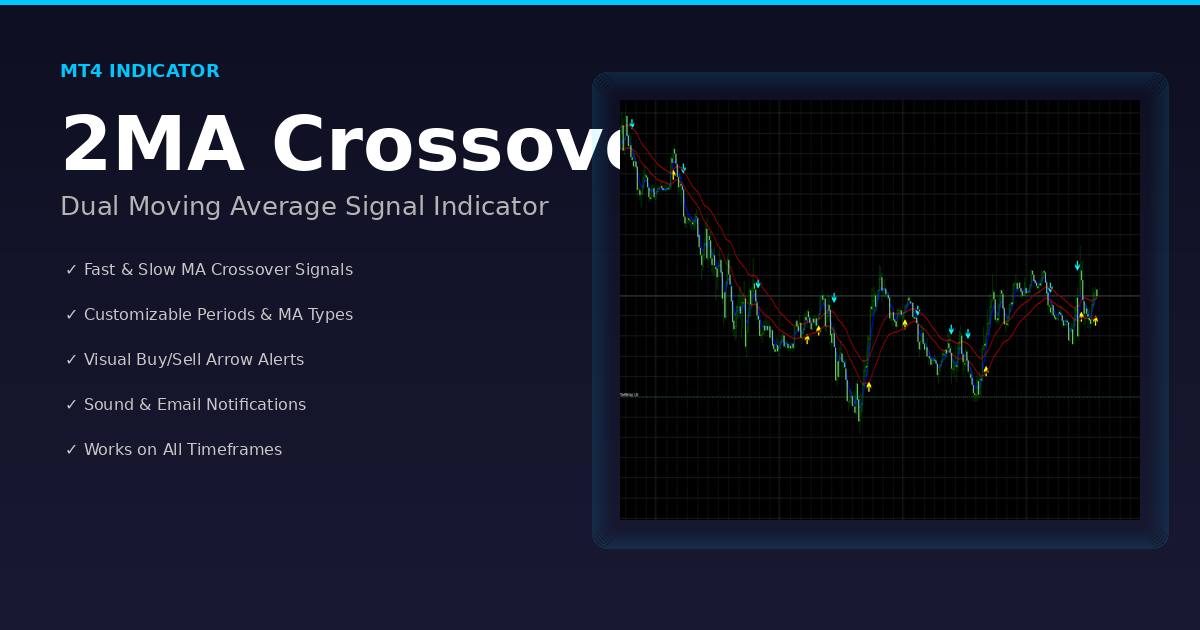
The 2MA Crossover Indicator is a simple yet powerful trend-signal tool designed for MetaTrader 4.
It identifies when two moving averages (MAs) intersect — a classic sign of trend reversal or momentum shift in Forex trading.
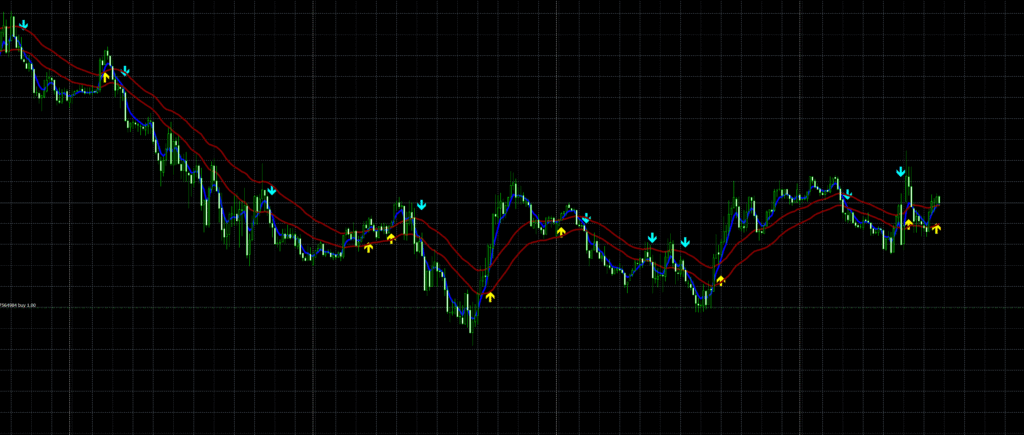
Instead of manually watching for moving averages to cross, this indicator automatically plots up and down arrows whenever a crossover happens.
It can also send popup alerts or email notifications so you never miss a trading signal.
This version is adapted from the original EMA-Crossover_Signal.mq4 by Jason Robinson and has been modified for improved accuracy, cleaner visuals, and full customization.

Download this Indicator for MT4
You can download both the ready-to-use EX4 file and the editable MQ4 source code for free below.
How the Indicator Works
When you attach the indicator to a chart, it continuously monitors two MAs:
- MA1 (Fast Line) — reacts quickly to price changes.
- MA2 (Slow Line) — filters out noise and defines overall trend.
A bullish crossover occurs when the fast MA crosses above the slow MA → upward arrow.
A bearish crossover occurs when the fast MA crosses below the slow MA → downward arrow.
Behind the scenes, the script checks:
if (MA1_0 > MA2hi_0 && MA1_1 < MA2hi_1) → CrossUp
if (MA1_0 < MA2lo_0 && MA1_1 > MA2lo_1) → CrossDown
When either condition is true, it plots an arrow and optionally triggers an alert.
Key Features
✅ Automatic crossover detection — No need to draw or calculate manually.
✅ Customizable MA periods — Choose any values (e.g., 5 & 34 or 10 & 50).
✅ Supports all MA types — SMA, EMA, SMMA, LWMA.
✅ Email + Popup alerts — Stay informed even when MT4 is minimized.
✅ Nine arrow styles — From thick markers to round dots and thumbs.
✅ Lightweight & fast — Works smoothly on any MT4 version.
✅ Optional MA display — Hide lines and keep your chart clean.
Why Moving Average Crossovers Matter
The moving average crossover is one of the oldest and most trusted strategies in technical analysis.
It filters out noise and reveals the underlying direction of price momentum.
When used properly:
- A bullish cross suggests trend reversal upward — potential buy setup.
- A bearish cross suggests trend reversal downward — potential sell setup.
Traders often combine it with RSI, MACD, or support/resistance levels to confirm the signal before entering a trade.

Indicator Parameters
When you load the indicator, you’ll see customizable inputs:
- MA1 – Period of fast MA (default = 5)
- MA1Mode – Type (0 SMA | 1 EMA | 2 SMMA | 3 LWMA)
- MA2 – Period of slow MA (default = 34)
- MA2Mode – Type (same options as above)
- drawMAs – Show or hide MA lines
- arrDistance – Arrow distance from candle
- ArrowType – Select between 0 to 9 for different styles
- AlertOn – Enable/disable popup alerts
- SendAnEmail – Enable email alert (requires MT4 email setup)
You can also adjust colours (Yellow / Aqua / Blue / Maroon) for clear visual contrast.
How to Install in MT4
- Download the file →
2MA_Crossover.mq4 - Copy it into your MetaTrader folder:
- File → Open Data Folder → MQL4 → Indicators
- Restart MT4 or refresh the Navigator.
- Drag 2MA Crossover onto your chart.
- Adjust settings to your preference and click OK.
- You’ll now see arrows marking every crossover between your two chosen moving averages.
How to Use It in Trading
Example Strategy (Classic Trend Entry):
- Apply MA1 = 5 (EMA) and MA2 = 34 (EMA).
- When a blue upward arrow appears → enter long position.
- When a red downward arrow appears → enter short position.
- Use higher timeframe trend (H1 / H4) for confirmation.
- Combine with price action or RSI for stronger accuracy.
- Always apply stop loss beyond last swing high/low.
This setup is ideal for trend-following strategies on EURUSD, GBPUSD, XAUUSD, and other major pairs.
Tips for Better Results
- Avoid using during low-volume hours (late US session).
- Filter with another trend indicator (e.g., ADX > 20).
- Back-test your parameters before trading live.
- For long-term signals, use larger MAs like (50, 200).
- Keep chart clean — disable unnecessary MAs if you just want arrows.
Limitations
No indicator is 100 % perfect.
Crossovers lag because MAs use historical data — signals come after price starts moving.
Also, in ranging markets, you may get false signals due to whipsaws.
To reduce false entries, confirm direction using higher timeframes or add a volatility filter.
Compatibility
- Platform: MetaTrader 4
- Instruments: All Forex pairs and CFDs
- Timeframes: M1 → MN1
- Works on both standard and ECN brokers
- Suitable for manual trading and EA integration
Download this Indicator for MT4
You can download both the ready-to-use EX4 file and the editable MQ4 source code for free below.
Conclusion
The 2MA Crossover Indicator remains one of the most practical and beginner-friendly tools in technical analysis.
It simplifies market structure into two smooth lines and lets you react precisely when trends shift.
Whether you’re a day trader or swing trader, adding this indicator to your chart can make your decision-making faster and clearer — with arrows, alerts, and full customization.
Ready to Start?
Download the free indicator, load it on your favorite pair, and see how cleanly it captures trend changes.
If you like it, share your results or screenshots with fellow traders — and keep refining your own moving-average strategy.