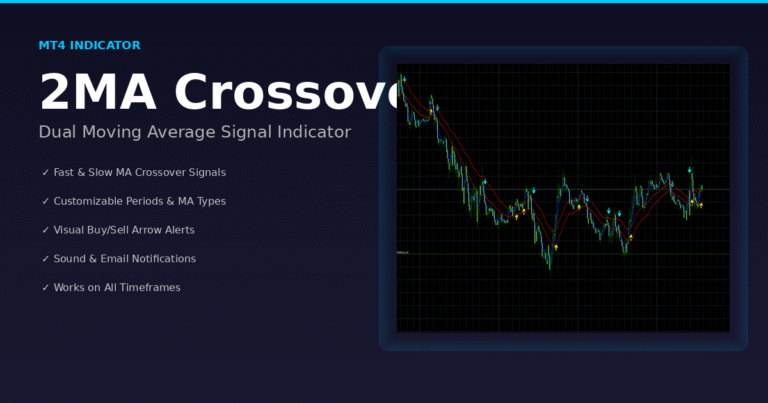
2MA Crossover MT4 Indicator (Free Download + MT4 Source Code)
The 2MA Crossover MT4 Indicator with full MT4 source code is an excellent tool for traders who want clean, accurate crossover signals and complete freedom to modify the logic behind them. It is a modified version of the classic EMA-Crossover_Signal indicator, and it works by detecting when two moving averages intersect to generate a buy or sell signal. What makes this version unique is that you get both the compiled indicator (EX4) and the open .mq4 source code, allowing you to study, customize, or build your own trading systems from it.
What This Indicator Does
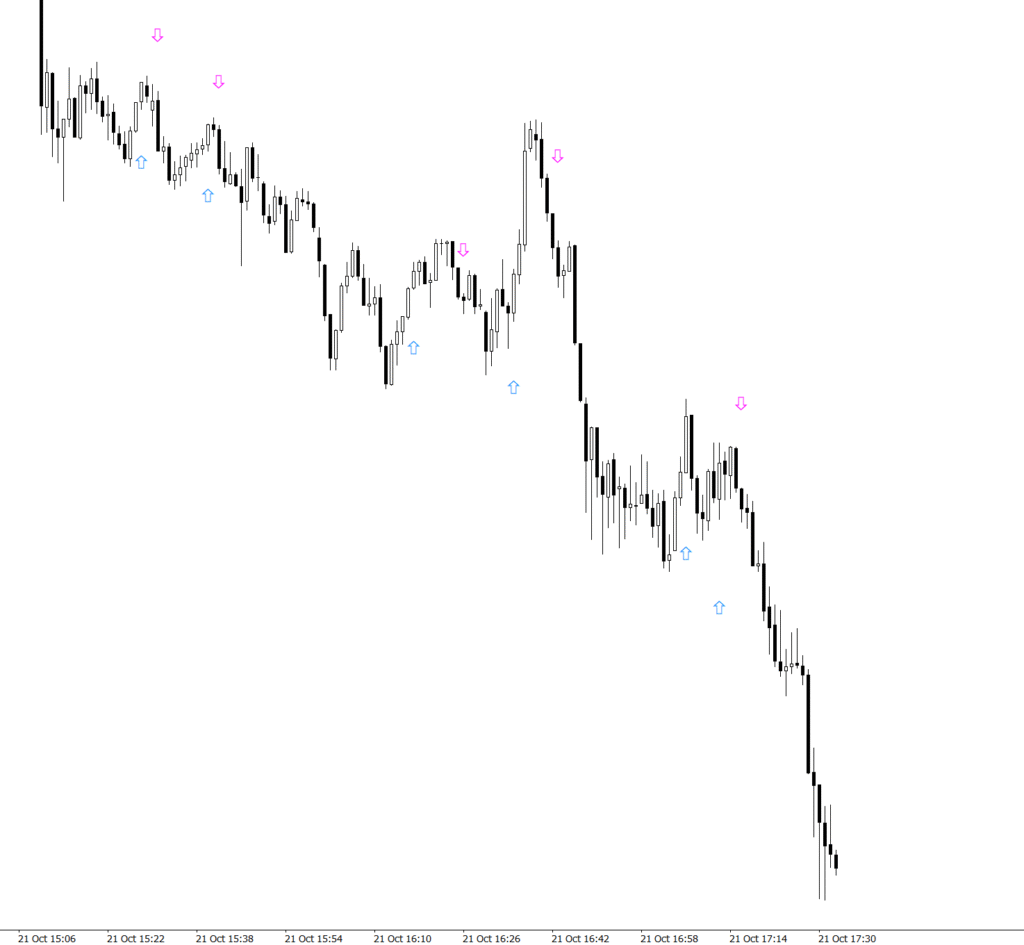
The indicator compares two moving averages you choose (fast vs. slow). When the fast MA crosses above the slow MA, it prints a blue buy arrow; when it crosses below, it prints a magenta sell arrow. You can enable pop-up alerts and SendMail to catch signals without staring at charts. Since the MT4 source code is included, advanced users can add filters (RSI, Stoch, ADR) or change arrow logic.

How to Install the 2MA Crossover MT4 Indicator
- Open your MetaTrader 4 platform.
- Go to the top menu and click “File” → “Open Data Folder.”
- Navigate to MQL4 → Indicators.
- Paste the downloaded 2MA Crossover.mq4 or 2MA Crossover.ex4 file into that folder.
- Close the folder and restart MT4 to refresh your platform.
- Once MT4 reloads, open the Navigator panel (press
Ctrl+Nif it’s hidden). - Right-click on “Indicators” → “Refresh.”
- The 2MA Crossover Indicator will now appear in your custom indicators list.
- Drag and drop it onto any chart you wish to analyze.
- Adjust the indicator settings:
- Choose your Fast and Slow Moving Averages (e.g., 5 EMA vs 10 EMA).
- Select your MA Method – SMA, EMA, SMMA, or LWMA.
- Define your Price Type – Close, Open, High, Low, Median, Typical, or Weighted.
- Because this is a fully editable MT4 source code, advanced users can:
- Add extra filters like RSI, Stochastic, or Bollinger Bands.
- Customize arrow shapes, colors, and alert options.
- Modify or extend logic to suit your personal trading strategy.
How to Use the 2MA Crossover MT4 Indicator
Using the 2MA Crossover indicator is simple. When the faster MA crosses above the slower MA, the tool prints a blue arrow below the candle to signal a potential buy. When it crosses below, a magenta arrow appears above the candle, suggesting a possible sell. The indicator also includes alert options that can notify you by pop-up or email whenever a crossover occurs. This makes it especially useful for traders who prefer to monitor multiple pairs or synthetic indices without sitting in front of the screen all day. With the MT4 source code in your hands, you can go further—add alerts for push notifications, change the arrow shapes, or include logic that filters out low-volatility periods.
For the best results, start with the default setup of 5 EMA versus 10 EMA on lower timeframes like M5 or M15 for scalping opportunities. Swing traders often prefer longer settings such as 50 EMA and 200 EMA to capture major trend reversals (the famous golden and death crosses). Because the indicator is open-source, you can experiment freely—adjust line widths, arrow offsets, or integrate it into an Expert Advisor to automate entries and exits. The goal is flexibility: you control how the crossover behaves and how alerts are triggered
Key features
• Two fully editable MAs (SMA/EMA/SMMA/LWMA) and price types
• 10 arrow styles for clean, visible signals
• Works on M1 to MN1, for Forex, Metals, Crypto, and Synthetic Indices
• Optional alerts + email notifications
• Lightweight, no lag, full MT4 source code included
Trading tips
• For cleaner signals, trade in the direction of H1/H4 trend while executing entries on M5/M15.
• Consider support/resistance and session times; avoid low-liquidity chop.
• Because you have the MT4 source code, add a confirmation filter (e.g., RSI>50 for buys, <50 for sells) if you want fewer signals.
FAQ — 2MA Crossover MT4 Indicator (with Source Code)
Is the 2MA Crossover MT4 Indicator free and does it include MT4 source code?
Yes. You can download and edit the full .mq4 source code above.
Can I add filters to reduce false signals using the source code?
Absolutely. Edit the logic in start() to combine MA crosses with RSI, Stoch, ATR, or session filters.
Does the MT4 source code compile on the latest MT4 build?
Yes, it’s standard MQL4. If your terminal is outdated, update MT4 and hit “Compile.”
Disclaimer
This indicator is for educational purposes. Trading involves risk. Always test on demo before live. You are responsible for any edits you make to the MT4 source code and how you use it.
If you found this useful, bookmark this page or share it. For more MT4 source codes and free indicators/EAs, check our other posts and tools.
Need extra help installing MT4 indicators? Check out these official guides:
MetaTrader 4 – Official Installation Guide
MQL5.com – How to Install Custom Indicators in MT4
BabyPips – Learn How to Use MetaTrader 4 Effectively