DSS Bressert Indicator for MT4 — Full Source Code and Guide
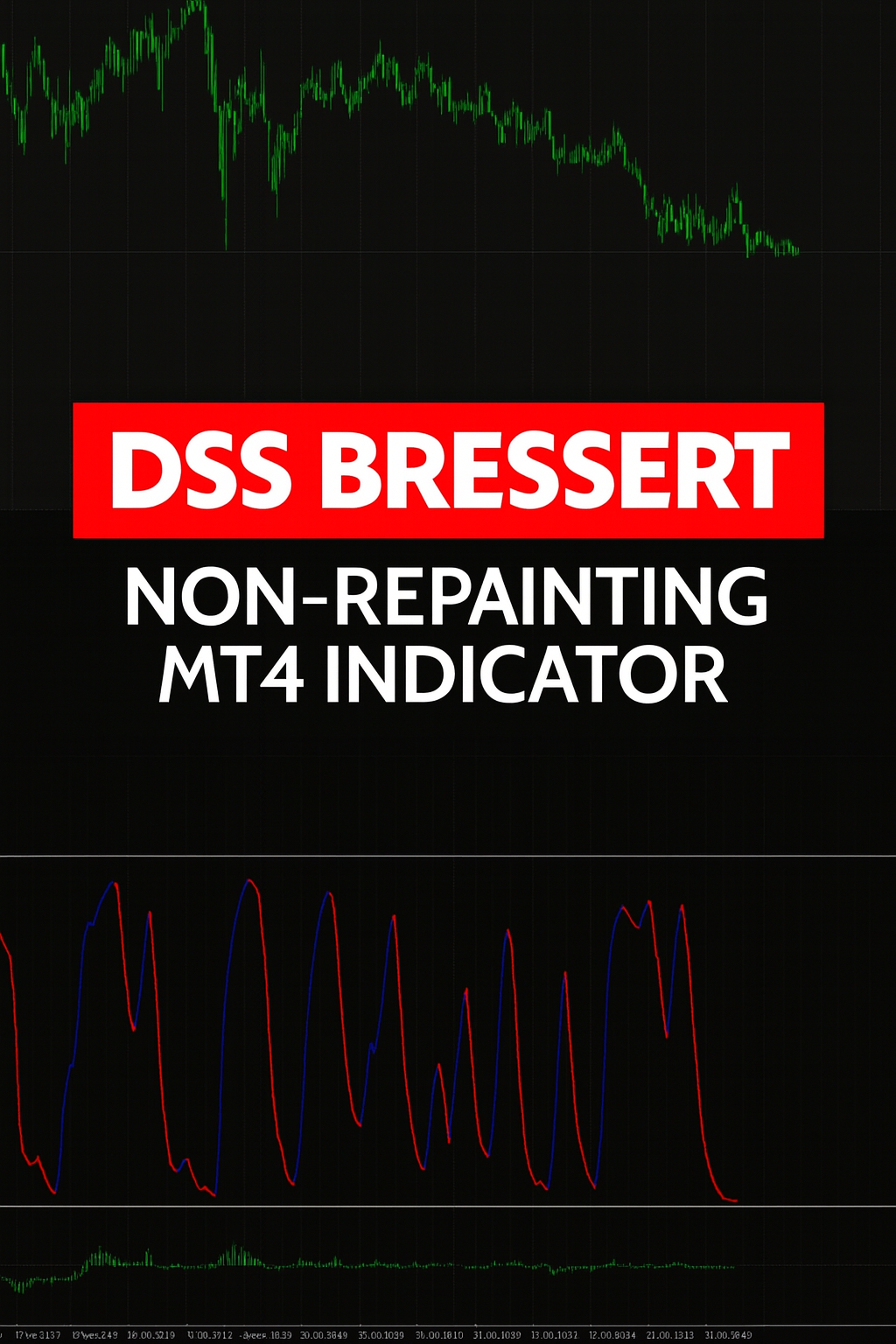
The DSS Bressert Indicator for MT4 (Double Smoothed Stochastic Bressert) is one of the most accurate and responsive momentum oscillators ever developed for MetaTrader 4. Originally designed by William Bressert and later adapted by MetaQuotes and Jaanus Jantson, this MT4 version refines the classic stochastic oscillator to filter noise and deliver clean, color-coded buy and sell signals with minimal lag.
Traders rely on DSS Bressert because it helps identify momentum shifts before traditional RSI or MACD indicators react, especially during range-bound or transitional markets. This open-source edition comes with editable MQ4 code, allowing you to tweak EMA and stochastic periods or change arrow styles and colors for custom strategies.
Recommended Brokers for MT4 Traders
For smooth trading and low spreads, we recommend using one of our trusted partners below. Both brokers support MetaTrader 4 and offer fast execution for Forex and synthetic indices.
How the DSS Bressert Algorithm Works
At its core, the indicator uses two layers of smoothing to stabilize stochastic calculations.
First, it computes a fast stochastic value based on the last Stochastic_period candles, calculating the ratio between the close price and the high-low range. This value is then passed through an EMA filter with a smoothing coefficient defined by the EMA_period. The result is a double-smoothed stochastic that reacts quickly to price shifts while ignoring short-term spikes and noise.
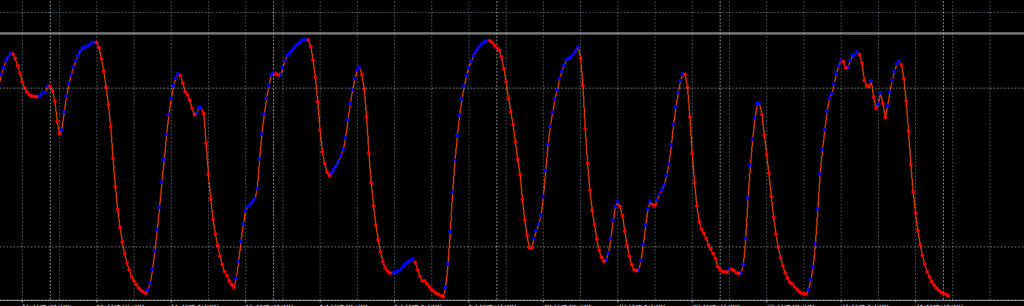
When the DSS line crosses above 80, momentum is overbought and the market is due for a pullback. When it drops below 20, the market is oversold and may soon reverse upward. To help visualize these changes, the indicator plots arrows:
- Blue up arrows appear when momentum turns bullish.
- Red down arrows appear when momentum turns bearish.
- A colored orange-red DSS line smoothly connects these signals to show trend continuity.
Because the calculation uses EMA-based smoothing instead of simple averages, you get earlier entries without false spikes. That’s why the DSS Bressert Indicator for MT4 is favored by scalpers and swing traders alike.
Key Features
- ✅ Non-repainting signals — once a bar closes, its arrow does not change.
- ✅ Three color-coded buffers for clear visual distinction (buy, sell, and main DSS line).
- ✅ Fully editable MQ4 source code included for custom optimization.
- ✅ Adjustable periods and smoothing for different market volatility profiles.
- ✅ Works on any pair or timeframe, from M1 to D1 and beyond.
- ✅ Great for confluence with RSI, MACD, or Bollinger Bands.

Download the Indicator for MT4
You can download both the ready-to-use EX4 file and the editable MQ4 source code for free below.
Recommended Settings and Customization
For most traders, the DSS Bressert Indicator for MT4 works well with the default parameters, but you can easily adjust them for faster or smoother signals.
- EMA_period: This setting controls how much the indicator smooths its line. A lower value makes the DSS line react faster to price movement, while a higher value reduces noise. The typical value is 9 for balanced performance.
- Stochastic_period: This defines the lookback window used to calculate momentum. A longer period slows the indicator down but improves accuracy. The standard setting is 24, which works well across Forex pairs and synthetic indices.
- Levels 20 and 80: These are the overbought and oversold zones. The 20 level marks where buying pressure tends to begin, and the 80 level indicates where selling pressure may start. These thresholds are fixed and widely used by traders.
You can experiment by adjusting these parameters slightly depending on your trading timeframe. For example, shorter EMA periods suit scalpers on M1–M5 charts, while longer ones work better for swing traders using H1–D1 timeframes.
How to Install the DSS Bressert Indicator for MT4
- Open MetaTrader 4 and click File → Open Data Folder.
- Go to MQL4 → Indicators.
- Paste the downloaded
Robby DSS Bressert Colored.mq4file into that folder. - Restart MT4 to load the indicator.
- Open the Navigator panel (Ctrl + N) and right-click Indicators → Refresh.
- Drag the DSS Bressert Indicator for MT4 onto your chart.
- Adjust the EMA and stochastic parameters according to your strategy.
Because it’s a stand-alone momentum tool, you can combine it with price action zones or trendlines for confirmation.
How to Use the Indicator in Your Trading Strategy
1️⃣ Buy Setup
- Wait for the DSS line to rise from below 20 and cross above the signal arrow.
- Enter a buy trade once the blue arrow prints and price shows a bullish candle.
- Stop loss goes below the most recent swing low; take profit can be 2× the risk or near the 80 level.
2️⃣ Sell Setup
- Wait for the DSS line to drop from above 80 and a red arrow appears.
- Confirm with a bearish candlestick pattern (e.g., engulfing bar).
- Set stop loss above the swing high and target the 20 line or support zone.
3️⃣ Best Practices
- Avoid entering when the line hovers between 40–60 (mid range).
- For higher accuracy, use on H1 or H4 timeframes alongside the London Break Indicator for MT4.
- Always test settings on a demo account first to see how the DSS Bressert Indicator for MT4 reacts to your broker’s server time.
Advantages Over Standard Stochastic and RSI
While RSI and Stochastic are useful, they often produce false crosses in volatile markets. The DSS Bressert Indicator for MT4 eliminates this by using exponential double smoothing, making signals cleaner and more timely.
It is less noisy than RSI yet more responsive than MACD, positioning it perfectly between momentum and trend categories.
You can use it to:
- Detect early trend reversals.
- Filter entries in EA strategies using its DssBuffer values.
- Develop custom dashboards or multi-timeframe alerts from the source cod
Customization and Development Opportunities
Developers can extend this indicator to include alerts, email notifications, or visual histograms. Because the MQ4 code is fully open and structured with buffers for main, up, and down signals, you can easily integrate it into Expert Advisors or multi-indicator systems.
Add conditions such as trend confirmation from EMA 200 or ADX filtering to avoid false signals during sideways markets. This makes the DSS Bressert Indicator for MT4 a solid foundation for algorithmic trading research and backtesting.
Why Traders Love the DSS Bressert Indicator for MT4
- Simple logic, powerful results.
- Fast signal generation without repainting.
- Color coding makes it easy to read even for beginners.
- Fully compatible with MetaTrader 4 build 1400 and newer.
Whether you’re trading Forex, Gold, or Synthetic Indices, this tool helps you time entries precisely at momentum turns.

FAQ — DSS Bressert Indicator for MT4
Is the indicator free and does it include source code?
Yes. You can download both the EX4 and MQ4 versions for free from our official links above.
Does it repaint?
No. Once a bar closes, the signal remains fixed.
Can I use it for EA development?
Absolutely. The buffer structure makes integration with Expert Advisors and scripts simple.
Which timeframes work best?
H1–H4 for Forex and synthetic pairs like Volatility 75 Index or Boom/Crash.
Is it compatible with latest MT4 builds?
Yes — it compiles cleanly and runs on newer MT4 versions without modifications.
Download the Indicator for MT4
You can download both the ready-to-use EX4 file and the editable MQ4 source code for free below.