Mindhero.mq4 — Dynamic ATR “River” Arrow Indicator for MT4
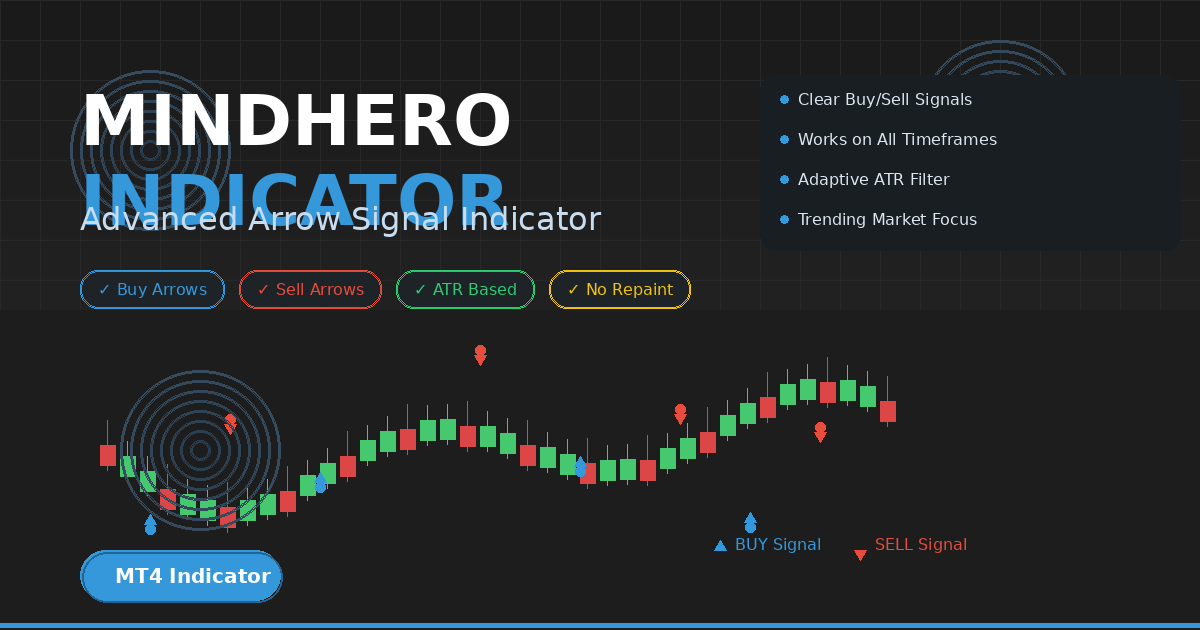
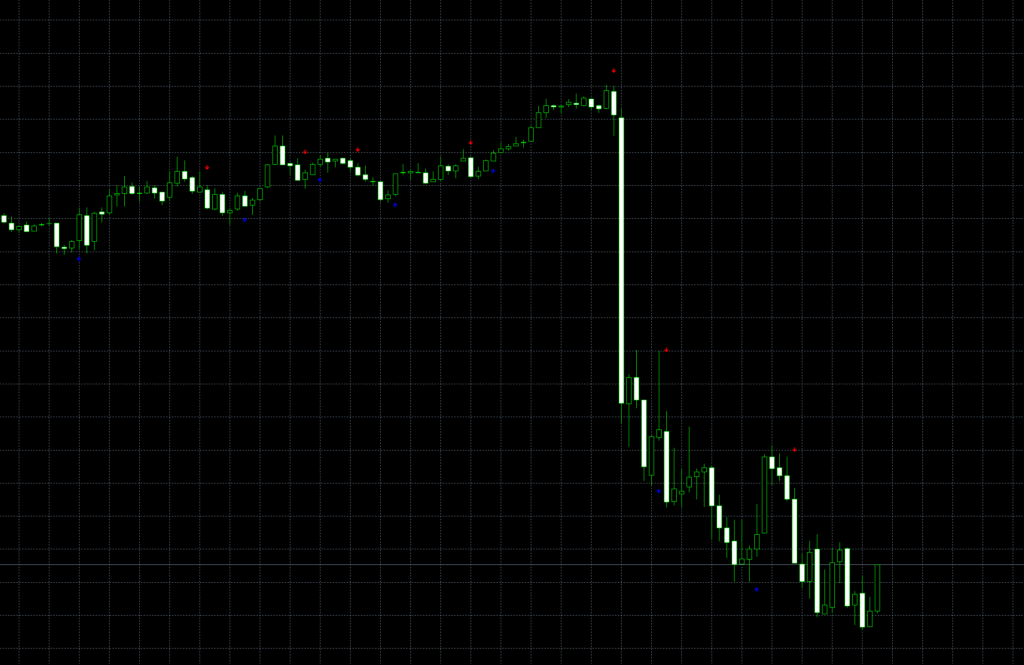
Mindhero.mq4 is a custom arrow indicator for MetaTrader 4 that plots potential buy/sell arrows based on a dynamic, ATR-driven “river” state. It blends a weighted True Range model with a volatility buffer to decide when the market flips from bullish to bearish and vice-versa. When the state flips and conditions align, an up arrow (Wingdings 233) or down arrow (Wingdings 234) is drawn on the chart.
Good for: trend-following entries, volatility-aware timing, and visual “one-look” signals on forex, indices or synthetics.
Recommended Brokers for MT4 Traders
For smooth trading and low spreads, we recommend using one of our trusted partners below. Both brokers support MetaTrader 4 and offer fast execution for Forex and synthetic indices.
How it works
- The indicator scans up to NumBars (default 500) most recent candles.
- For each candle it computes a custom True Range (TR) that includes spread and gap risk:
TR = max( spread + High - Low, |spread + High - Close[1]|, |Low - Close[1]| )
- It feeds TR into a weighted moving ATR (length ≈ 7 by default), then multiplies it by cecf = 0.7 to become a volatility buffer (
widcha). - It keeps a running extreme price (
Emaxtra) and a state flag called river:- river = true ⇒ bullish bias; price is tracked by lows.
- river = false ⇒ bearish bias; price is tracked by highs.
- If price pierces the current extreme ± the buffer (
widcha), the river flips:- Flip to bullish if
High > Emaxtra + widcha(trend may turn up) - Flip to bearish if
Low < Emaxtra - widcha(trend may turn down)
- Flip to bullish if
- Arrows are placed with a safety offset using a standard ATR(10):
- In bullish river: potential BUY arrow around
Low − ATR(10) * s / 3, where s = 2. - In bearish river: potential SELL arrow around
High + ATR(10) * s / 3.
- In bullish river: potential BUY arrow around
- The buffers ExtMapBuffer1 (blue up arrows) and ExtMapBuffer2 (red down arrows) paint signals.
In short: Mindhero behaves like a Supertrend-style flip detector powered by a custom weighted ATR and draws buffered arrows at logical levels rather than raw highs/lows.
Inputs & internal parameters
External input
- NumBars (int, default 500): how many candles to process. Increase if you need deeper history.
Key internal (edit in code if you want to tune)
- artp = 7 / dartp = 7.0: length for weighted ATR engine (higher = smoother, slower flips).
- cecf = 0.7: volatility factor; larger makes the river harder to flip (fewer but stronger signals).
- s = 2: arrow offset multiplier with ATR(10); larger = arrows sit further away from price.
- ATR(10): standard MT4 ATR used for arrow positioning (not the weighted one).
- Wingdings 233/234: icons for up/down arrows.
Tip: Convert artp, cecf, s and ATR period into extern inputs so you can optimize per symbol/timeframe without recompiling.

Download the Indicator for MT4
You can download both the ready-to-use EX4 file and the editable MQ4 source code for free below.
How to read the signals
- Blue Up Arrow (ExtMapBuffer1): market in bullish river; price momentum favored upward; arrow placed just beneath price using ATR spacing.
- Red Down Arrow (ExtMapBuffer2): market in bearish river; momentum favored downward; arrow placed a bit above price.
- River flips occur when price pushes past its recent extreme by more than the volatility buffer. These flips often mark trend transitions.
Suggested confirmations
- Market structure (HH/HL vs LH/LL)
- A fast MA slope (e.g., EMA 20)
- Session timing and news filter
Best settings by timeframe
- M15–M30: keep artp = 7, try cecf = 0.6–0.8, s = 1.8–2.2, ATR(10) or 14
- H1–H4: artp = 7–10, cecf = 0.7–0.9, s = 2–2.5, ATR(14)
- Daily: artp = 10–14, cecf = 0.9–1.2, s = 2.5–3, ATR(14–20)
Higher volatility pairs/indices (e.g., XAUUSD, synthetics) often benefit from higher cecf (wider buffer) to avoid noise.
Installation (MT4)
- Open MT4 → File → Open Data Folder
- Go to MQL4 → Indicators
- Paste Mindhero.mq4 (or the compiled .ex4) into that folder
- Restart MT4 or right-click Navigator → Refresh
- Drag Mindhero from Navigator → Indicators → Custom onto a chart
- Set NumBars (and any parameters you exposed) → OK
rading playbook (example)
Trend-follow entry
- Wait for river flip to bullish and the first blue up arrow.
- Entry: on/after the arrow candle close (or small retrace).
- Stop: below the recent swing low or ATR(14) × 1.5.
- Trail: manual swing-low trail or ATR trail.
Counter-trend caution
- A lone arrow against a strong higher-timeframe trend is lower probability; demand more confluence.
Exit ideas
- Opposite arrow
- Risk:reward 1.5–2.5 fixed target
- Higher-TF structure change

Pros & limitations
Pros
- Simple, visual signals with volatility awareness
- Weighted ATR “river” reduces minor chop
- Arrows are buffered away from price → fewer accidental touches
Limitations
- Parameters are hard-coded (tweak source or expose as inputs)
- Can still whipsaw in heavy range days
- No built-in alerts (easy to add)
Developer notes (from the source)
- Uses
MarketInfo(Symbol(), MODE_SPREAD) * Pointto include spread in TR, making flips stricter on wide-spread symbols. - Stores a rolling TR array (
Values[artp]) and computes a linearly weighted sum to get a smoother ATR proxy. - State machine (
riverboolean) plus extreme tracker (Emaxtra) decide flips with thresholdwidcha = cecf × ATR. - Arrows are buffer writes only; there’s no clearing/redrawing logic you’d need for histograms.
Easy upgrades you can add
- Extern inputs:
artp,cecf,s,ATR_Period - Alerts/Push/Email when river flips or when an arrow prints:
if(ExtMapBuffer1[i] > 0 && ExtMapBuffer1[i+1] == 0) Alert(Symbol(), ” BUY arrow on “, TimeToString(Time[i]));
if(ExtMapBuffer2[i] > 0 && ExtMapBuffer2[i+1] == 0) Alert(Symbol(), ” SELL arrow on “, TimeToString(Time[i]));
MT5 port (.mq5) using OnInit/OnCalculate and CopyBuffer equivalents
Multi-timeframe filter: require higher-TF river = same direction before drawing arrows
Dashboard: count flips/alerts across multiple symbols
FAQ
Does Mindhero repaint?
It iterates historically and sets buffers per bar close. The state flip depends on completed prices; once the bar closes, the arrow for that bar shouldn’t repaint. In live ticks, arrows can appear/disappear during the forming candle—evaluate on bar close.
Which markets?
Forex majors/minors, gold, indices, and synthetic indices. Increase cecf and/or artp on very volatile symbols.
Timeframes?
Works from M15 up to Daily. For scalping, you may tighten s and widen cecf.
Download the Indicator for MT4
You can download both the ready-to-use EX4 file and the editable MQ4 source code for free below.