ZigAndZagScalpel — Dual ZigZag Swing Detection Indicator for MT4 (with Source Code)
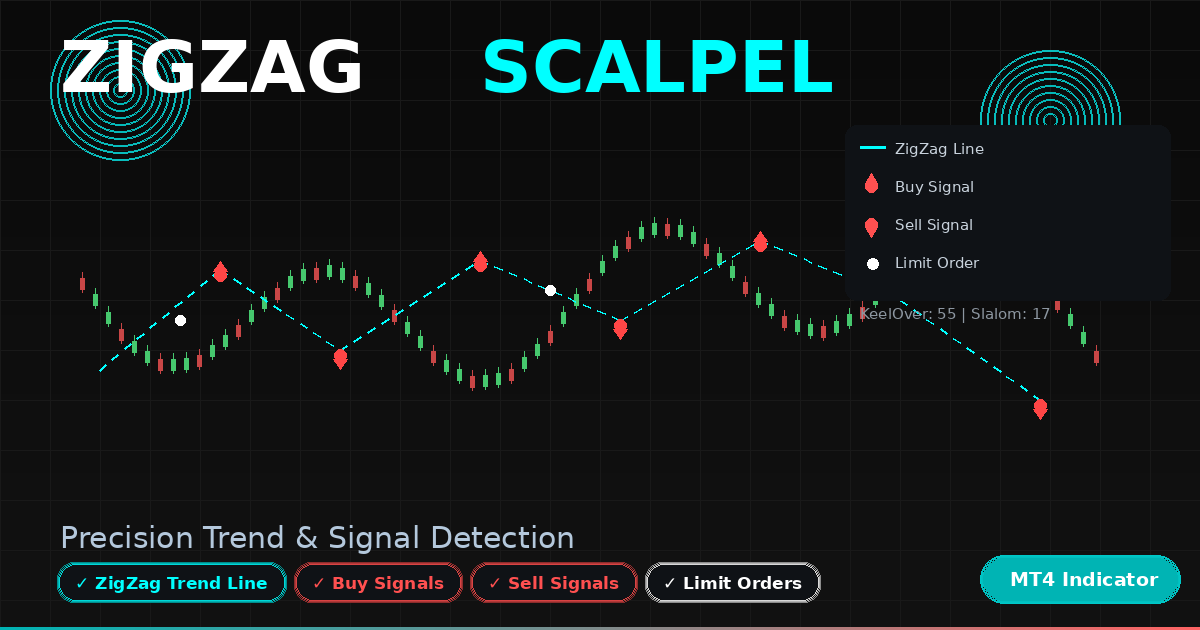
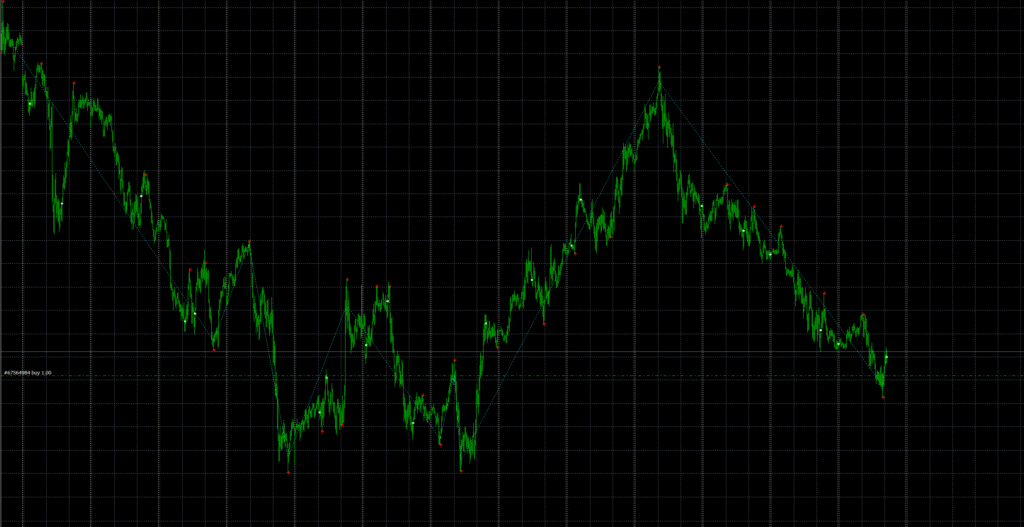
The ZigAndZagScalpel.mq4 is an advanced version of the classic ZigZag concept, combining deep price structure analysis with multi-stage filtering to highlight turning points, retracements, and potential buy/sell moments.
Originally created by Bookkeeper (2006), this indicator refines multiple swing levels (“Slalom” and “KeelOver”) to trace market waves with surgical precision—hence the name Scalpel.
Recommended Brokers for MT4 Traders
For smooth trading and low spreads, we recommend using one of our trusted partners below. Both brokers support MetaTrader 4 and offer fast execution for Forex and synthetic indices.
🔍 What the ZigAndZagScalpel Indicator Does
The ZigAndZagScalpel identifies important highs and lows (“Zigs” and “Zags”) using two separate sensitivity settings:
- Slalom – short-term swing detection for micro-waves.
- KeelOver – higher-level trend anchor for major turns.
By combining these two layers, it effectively draws a dual ZigZag, where small corrections form within larger trend movements.
When both align, the indicator plots arrows marking potential Buy, Sell, or Limit opportunities directly on the chart.
⚙️ How It Works
The script goes through three “Crusades” — or processing passes — to clean, analyze, and construct the final trading signals:
- First Crusade:
Scans historical bars to detect possible Slalom and KeelOver turning points. Each wave is validated to remove false or duplicate highs/lows within a small Backstep window. - Second Crusade:
Cleans redundant signals by comparing consecutive swing points. Only the most relevant highs/lows remain, ensuring a clean, reliable ZigZag path. - Third Crusade:
Builds the final trend line and places order signals:- Buy (Aqua/White arrows) appear when price aligns with a confirmed upward structure.
- Sell (Red arrows) appear when downward structure is validated.
- Limit orders (Black arrows) are used to mark retracement levels or consolidation entries.

Download the Indicator for MT4
You can download both the ready-to-use EX4 file and the editable MQ4 source code for free below.
🧠 Internal Logic Summary
- Calculates average candle center (called Navel) using 5×Close + 2×Open + High + Low / 9 for balanced price estimation.
- Keeps track of the last Zig/Zag and overall trend direction (
TrendUpboolean). - Dynamically adapts to volatility by comparing
LimitPoints(Ask–Bid spread). - Prevents signal duplication by resetting earlier buffers within the same region.
- Uses multiple buffers for clarity:
- KeelOverZigAndZagSECTION — primary trend line.
- SlalomZigBuffer / SlalomZagBuffer — short-term pivot points.
- BuyOrdersBuffer / SellOrdersBuffer — trade signal arrows.
- LimitOrdersBuffer — consolidation markers.
📈 Key Features
- Dual-scale ZigZag analysis for precision swing detection.
- Built-in buy/sell/limit arrows for actionable insight.
- Adjustable
KeelOverandSlalomparameters for any timeframe. - Multi-pass filtering algorithm to reduce false highs/lows.
- Works across all MT4 symbols — forex, metals, indices, synthetics.
- Clean visual output suitable for scalping, wave mapping, or strategy development.
⚙️ Recommended Settings
The ZigAndZagScalpel indicator comes with four key input parameters that you can tune depending on your timeframe and market type.
- KeelOver — This controls the main ZigZag depth, detecting large-scale or macro wave reversals. A good starting point is 55 on the M15 chart.
- Slalom — Defines the secondary ZigZag sensitivity used for micro-waves and intraday swings. The default value 17 works well for M15, but you can lower it for scalping or raise it for longer trends.
- Backstep — Sets the minimum distance between two peaks or troughs. Keeping this around 3 prevents small retracements from being treated as new swing points.
- LimitPoints — Automatically calculated from the current Ask–Bid spread. It helps the indicator adapt to real-time volatility and avoid false signal clusters.
👉 For higher timeframes such as H1–H4, increase KeelOver gradually (70–120) to smooth out market noise. On lower timeframes (M5–M15), use tighter Slalom values to capture faster turns.
🧭 How to Install the Indicator
- Open MetaTrader 4.
- Navigate to File → Open Data Folder.
- Open MQL4 → Indicators.
- Paste
ZigAndZagScalpel.mq4inside. - Restart MT4 or right-click Navigator → Refresh.
- Attach the indicator to any chart.
- Adjust
KeelOverandSlalomvalues for your timeframe.
🧪 How to Use
- Observe the dual ZigZag structure: smaller “Slalom” swings nested inside the larger “KeelOver” waves.
- Trade with trend direction confirmed by the KeelOver line.
- Use Buy/Sell arrows as entry hints, confirming with candle formations or support/resistance.
- The Limit arrows highlight potential pullback levels—use them for scaling in or managing existing trades.
- Combine with an ATR or volume filter to confirm momentum strength.
✅ Advantages
- Identifies both micro and macro turning points automatically.
- Excellent for backtesting or wave-based EA development.
- Visually clean—no repainting of finalized ZigZag points.
- Helps anticipate trend reversals and pullbacks.
- Completely free and open-source.
⚠️ Limitations
- Extremely short timeframes (M1, M5) can show frequent recalculations.
- It does not generate automated trade orders—it’s a manual or EA-assist tool.
- High volatility events may temporarily distort the ZigZag structure.

🧩 Developer Notes
The author humorously titled its core functions “Crusades” to describe its multi-pass logic—First (build), Second (clean), Third (signal).
Despite the playful code comments, the algorithm performs serious structure detection.
Developers can easily integrate its swing logic into Expert Advisors or automated systems.
Download the Indicator for MT4
You can download both the ready-to-use EX4 file and the editable MQ4 source code for free below.
FAQ — ZigAndZagScalpel Indicator for MT4
Once a bar closes, the confirmed ZigZag points remain fixed. However, the latest forming swing may adjust until finalized.
Yes. Each buffer can be accessed by an Expert Advisor using `iCustom()` to build automated wave or pullback logic.
M15–H4 are optimal. For very low timeframes, reduce the `KeelOver`/`Slalom` values; for higher, increase them.
Yes, both EX4 and MQ4 versions are free to download and modify. Attribution to the original author is appreciated.