Open Price Horizontal Line Indicator for MT4 (with Source Code)
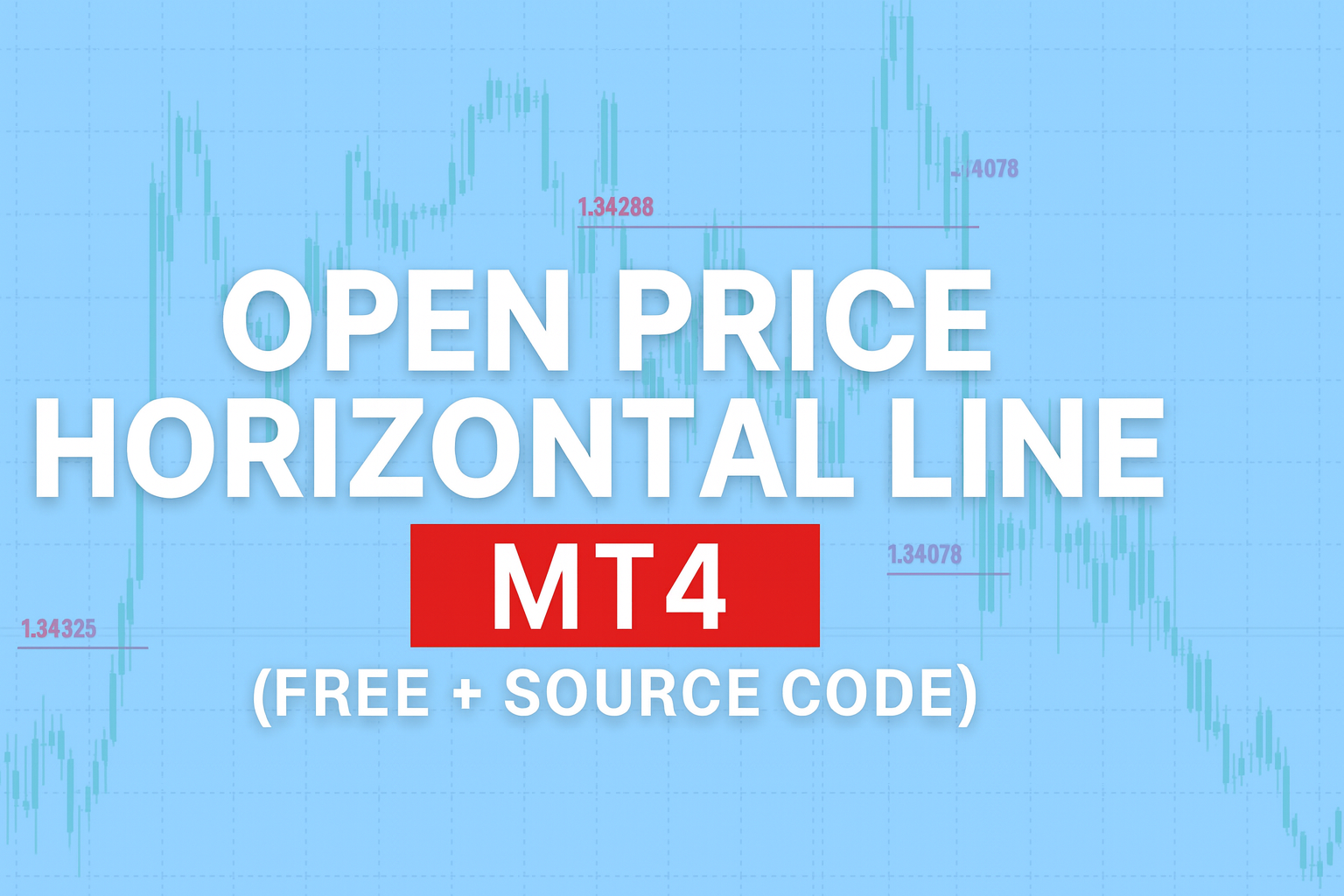
The Open Price Horizontal Line Indicator for MT4 is a lightweight but highly practical MetaTrader 4 tool that automatically plots a clean horizontal line at the daily or session opening price. Designed by Tigpips in 2011, this indicator helps traders quickly visualize the market’s reference point for the day — the level where price started trading during a new session.
This is one of those simple indicators that can completely change the way you analyze market structure. Many professional traders track the daily open price to determine directional bias — whether the market is likely to stay above or below that level throughout the trading day. With the Open Price Horizontal Line Indicator for MT4, this key price level is automatically drawn on your charts without you having to do any manual calculation or line drawing.
Recommended Brokers for MT4 Traders
For smooth trading and low spreads, we recommend using one of our trusted partners below. Both brokers support MetaTrader 4 and offer fast execution for Forex and synthetic indices.
Why the Open Price Matters in Forex Trading
The daily open price represents a psychological and technical balance point for the market. When price trades above the open, sentiment tends to be bullish; when price trades below it, the market leans bearish. Scalpers, intraday traders, and institutional analysts often use the open as a pivot to gauge whether they should be looking for long or short setups.
This MT4 indicator automatically plots that open line each trading day, allowing you to visually separate bullish and bearish market conditions at a glance. It can also be applied to different sessions — for example, you can mark the London open, New York open, or even the Asian session open.
Having a horizontal line at the open price helps identify key reactions:
- Does price reject or retest the open?
- Does it break above and stay there?
- Does it bounce off and reverse direction?
These behaviors can help confirm intraday momentum shifts and are often used alongside breakout or reversal strategies.

Download the Open Price Horizontal Line Indicator for MT4
Choose your preferred format below — EX4 for direct use or MQ4 for customization.
How the Open Price Horizontal Line Indicator for MT4 Works
At its core, this indicator is based on a simple but efficient logic: it checks every historical candle for the time that matches your specified opening hour and minute. When it finds that bar, it draws a horizontal trendline at that bar’s open price extending into the future (typically 24 hours).
Internal Logic Explained
- User Input:
You can set parameters such as:OpenHourandOpenMin– to specify exactly when the line should appear.Barcount– to define how many candles back in time the indicator should scan.LineColor,LineType, and label options – to customize appearance.
Execution:
The indicator loops through candles using a for-loop and checks:
if(TimeHour(Time[i]) == OpenHour && TimeMinute(Time[i]) == OpenMin)
- When this condition matches, the line is drawn at that bar’s Open[i] value using the
TrendLine()function. - Automatic Line and Label Creation:
Each horizontal line includes a label displaying the price level. You can choose whether to show text above or directly on the line, change font type, font size, and color. - Performance Optimization:
The script includes a mechanism to prevent drawing multiple lines on the same bar, ensuring the platform runs smoothly even with thousands of bars loaded.
This automation makes the Open Price Horizontal Line Indicator for MT4 a zero-maintenance tool. Once loaded, it continuously updates daily or for any session time you specify.
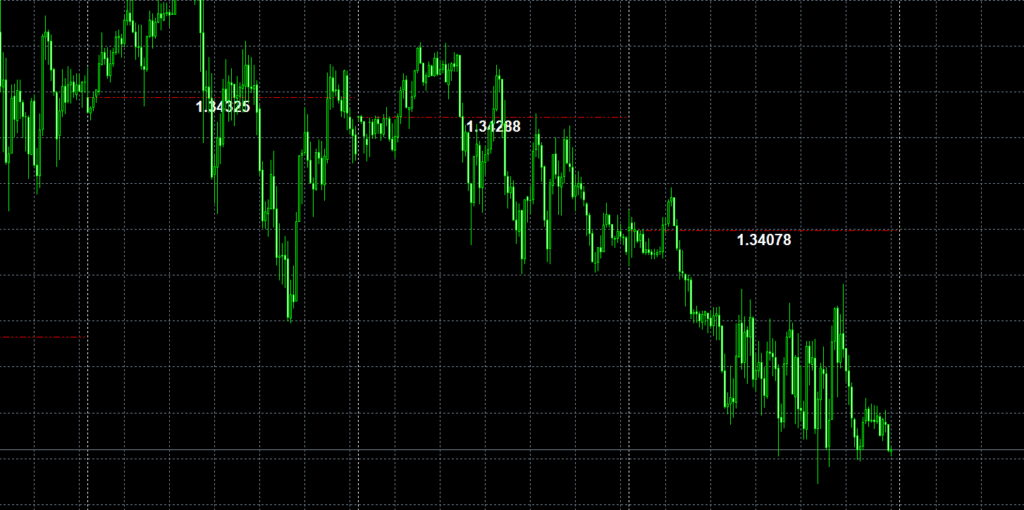
Customizable Parameters
Here’s a breakdown of the customizable settings and what they do:
- OpenHour / OpenMin:
Choose the hour and minute you want the horizontal line to be drawn. For example, if your broker’s time corresponds to 00:00 for the daily open, setOpenHour = 0andOpenMin = 0. - UseBarcount / Barcount:
This lets you control how far back the indicator scans. You can choose a limited history (e.g., 500 bars) or analyze the entire chart. - LineColor / LineType:
Select any color or style (solid, dashed, dotted). Red is default, but traders often use neutral tones like gray or white to blend with chart backgrounds. - LabelToggle / Font Settings:
If enabled, the indicator writes a text label showing the open price value. You can customize the font, size, and color, giving your chart a clean professional look. - Show_text_above_line:
Move the label slightly above or below the line depending on your visual preference.
These flexible inputs make the indicator easy to adapt to any strategy or visual style.
Practical Trading Applications
The Open Price Horizontal Line Indicator for MT4 can serve multiple trading purposes:
1. Session Bias Identification
You can use it to mark the open of the London, New York, or Asian sessions. If the price remains above the open for most of the session, that’s usually bullish sentiment; staying below signals bearish pressure.
2. Daily Range Trading
Combine the open line with indicators like ATR (Average True Range) or daily highs and lows to see how far the price extends from the open — a useful visual for intraday range breakout strategies.
3. Breakout Confirmation
Many traders watch the first breakout above or below the open line. If momentum builds in that direction with high volume, it’s often the start of the main move for that day.
4. Support and Resistance Tool
As the day progresses, the open line often acts as a retest zone. When price returns to the open level later in the day, it frequently reacts as support or resistance depending on prior movement.
5. Trend Filtering
Swing and day traders can use the open line as a reference. For example, only take long trades when the price is above the open and short trades when it’s below.
This single tool provides a foundation for both discretionary and algorithmic systems, especially when combined with other indicators such as RSI, moving averages, or session boxes.
How to Install the Open Price Horizontal Line Indicator for MT4
- Open your MetaTrader 4 platform.
- Click File → Open Data Folder.
- Navigate to
MQL4 → Indicators. - Paste the downloaded
Open Price Horizontal Line v1.1.mq4file into that folder. - Close the folder and restart MetaTrader 4.
- Open the Navigator panel (Ctrl + N) → Right-click “Indicators” → Click Refresh.
- Find Open Price Horizontal Line v1.1 in the list and drag it onto your chart.
- Adjust the parameters — set your session open time, choose line color and label options.
Once applied, you’ll instantly see a horizontal line drawn at your chosen open price for each day or session.

Customization Ideas for Developers
Since the Open Price Horizontal Line Indicator for MT4 includes full source code, developers can modify it to fit specific trading strategies. Some advanced customization ideas include:
- Adding multiple lines for different session opens (London, New York, Tokyo).
- Including alerts or pop-up notifications when price crosses the open line.
- Enabling automatic line deletion after each session to reduce chart clutter.
- Applying unique color themes based on whether price is currently above or below the line.
- Creating EA integrations that open trades only when the price is on one side of the open line.
Because it’s standard MQL4 code, it compiles perfectly on the latest MT4 builds, allowing full flexibility for both beginners and advanced coders.
Download the Open Price Horizontal Line Indicator for MT4
Choose your preferred format below — EX4 for direct use or MQ4 for customization.
Educational Use and Risk Disclaimer
This indicator is provided for educational purposes only. It does not guarantee profits or trading success. All trading involves risk, and results depend on market conditions and individual strategy execution. Always test on a demo account first before applying it to live trading. If you modify or compile the source code, you are fully responsible for the outcome and performance of your version.
FAQ — Open Price Horizontal Line Indicator for MT4
Is the Open Price Horizontal Line Indicator for MT4 free and does it include the source code?
Yes, both the EX4 and MQ4 versions are completely free to download. You can edit, compile, and modify the source code for personal use.
Can I use this indicator for London or New York open times?
Absolutely. Just change the OpenHour and OpenMin parameters to match your desired session’s starting time.
Does this indicator repaint or lag?
No. Once a line is drawn at the session open, it remains fixed. It does not repaint or shift with future candles.
Can I customize line colors and fonts?
Yes, the settings allow full customization of line color, width, style, and text font. You can adapt it to any chart theme.
Does it work with the latest MT4 updates?
Yes. The code uses standard MQL4 functions and compiles cleanly in the latest MetaTrader 4 build.
Conclusion
The Open Price Horizontal Line Indicator for MT4 is one of the most underrated but useful tools for serious forex traders. It’s ideal for marking session opens, identifying market bias, and improving price-action clarity. With its clean code, minimal resource use, and full source availability, this indicator is perfect for both traders and developers looking to build more advanced MT4 tools.
Whether you use it for daily open tracking or multi-session analysis, it’s a reliable companion that simplifies your workflow and strengthens your trading discipline.