TD DeMark Lines for MT4 — Auto TD High/Low, Break Alerts & Measured Targets
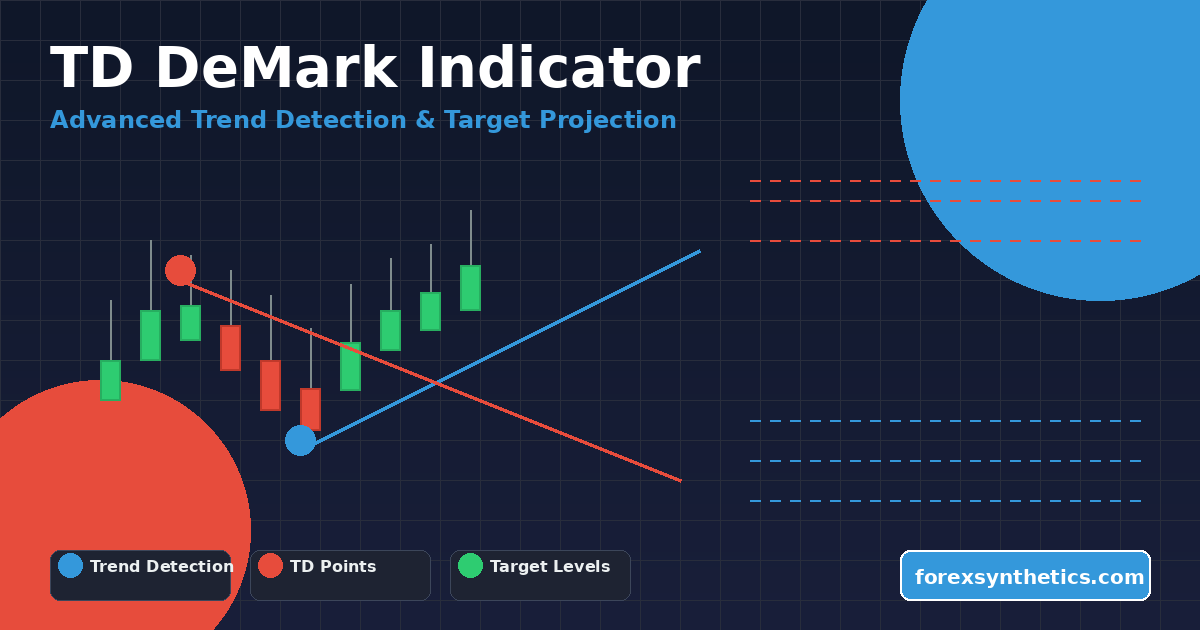
Download TD DeMark Lines for MT4 — an indicator that marks TD High/Low turning points, draws dynamic trendlines from the most recent pivots, and projects three price objectives (T1/T2/T3) once a line breaks on a closing basis.
This MT4 build is lightweight and visual: show multiple historical “steps,” switch to a stricter fractal mode, toggle horizontal references, and print an on-chart commentary with live break levels and target prices, all designed to speed up decision-making.
Recommended Brokers for MT4 Traders
For smooth trading and low spreads, we recommend using one of our trusted partners below. Both brokers support MetaTrader 4 and offer fast execution for Forex and synthetic indices.
Overview
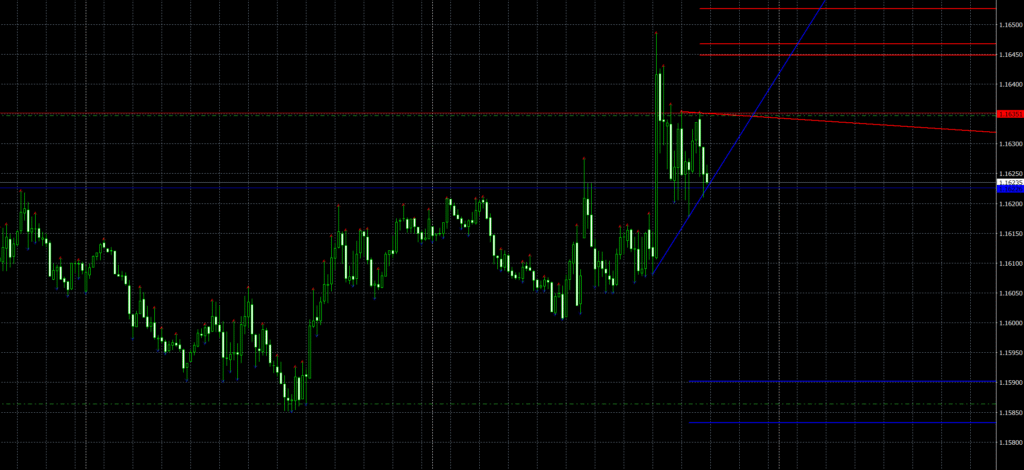
TD DeMark Lines for MT4 scans price bars to pick out TD High and TD Low points. From the newest two TD highs it constructs an upper trendline (UTD); from the newest two TD lows it constructs a lower trendline (LTD). When price closes through either line, the indicator prints projected targets (T1/T2/T3) in the direction of the break and summarizes everything in a compact on-chart comment.
It’s a focused tool for mapping structure: detect the pivots → draw the working line → confirm a break → trade toward realistic objectives.

Download this Indicator for MT4
You can download both the ready-to-use EX4 file and the editable MQ4 source code for free below.
How it works
- TD point detection
By default, the indicator uses DeMark-style conditions to label a bar as TD High/Low. Prefer a stricter 5-bar approach? Turn on Fractal mode and the points will require clearer separation. - Steps (generations)
The freshest pair of pivots is Step 1. Older pairs become Step 2, Step 3, …. Use ShowingSteps to display several generations at once so you can see how prior lines intersect with the current setup. - Lines & horizontals
The algorithm draws UTD from the last two TD highs and LTD from the last two TD lows, with rays projected to the right. Optionally, it also places horizontal reference lines for the current step. - Break & targets
If the close crosses a line, the script records the break and calculates T1/T2/T3 using built-in price relationships, drawing them as clean rays and listing exact prices plus pip distances in the commentary. - Visual hierarchy
Step 1 uses thicker strokes; older steps get thinner lines. Colors alternate so overlapping structures remain readable.
Inputs explained
BackSteps — Start rendering from older sequences if desired.
ShowingSteps — Number of steps to display (1–10).
FractalAsTD — false = classic TD logic; true = stricter 5-bar fractal detection.
Commen — Show/hide the on-chart commentary panel.
TD — Use arrow glyphs at TD points (true) or neutral markers (false).
TrendLine — Toggle drawing of UTD/LTD rays.
HorizontLine — Toggle auxiliary horizontals for the current step.
TakeProf — Turn the T1/T2/T3 target projection on/off.
Installation (MT4)
- MT4 → File → Open Data Folder.
- Go to MQL4 → Indicators and drop in TD DeMark Lines for MT4
.mq4(or the compiled.ex4). - Restart MT4 or right-click Navigator → Indicators → Refresh.
- Attach the indicator to your chart and set inputs to your preference.
- Adjust chart colors if needed for dark/light templates.
Practical trading ideas
- Breakout continuation
Trade in the direction of a confirmed close beyond UTD/LTD. Scale out at T1/T2 and trail for T3. - Line as dynamic S/R
If price rejects a line without breaking, the UTD/LTD often behaves as support/resistance for quick tactical trades. - Confluence from history
Show 2–4 steps. When multiple historical lines cluster, that zone frequently matters. - Risk placement
Use the opposing line or the break level (plus spread/tick size) as invalidation.
Strengths
- Genuine TD High/Low mapping with optional fractal strictness.
- Automatic targets once a break is confirmed (with prices and pips).
- Multi-step display for context from recent history.
- Clean object management — obsolete lines removed, chart stays tidy.
- Lightweight — built for multi-chart MT4 use.
Things to keep in mind
- The current step can evolve as new highs/lows appear; confirm on candle close for reliability.
- Targets are measured objectives, not guarantees. Pair with your own risk rules.
- On thin markets, a single spike can tag a break; prefer breaks that close beyond the line.
FAQ
Does TD DeMark Lines for MT4 repaint?
Only the most recent step can adjust while forming. Once pivots are in the past, they’re stable. Confirm with closes.
Best timeframes and symbols?
Works on Forex majors, metals, indices, crypto. Use M15–H1 for active trading, H4–D1 for swing.
Can I hide targets?
Yes — set TakeProf = false and you’ll get only TD points and lines.
Too many arrows?
Flip TD = false (neutral markers) or reduce ShowingSteps.

Download this Indicator for MT4
You can download both the ready-to-use EX4 file and the editable MQ4 source code for free below.