ZigZag Scalper for MT5 — Advanced Swing Mapping with Smart Buy/Sell Signals
Download the ZigZag Scalper indicator for MetaTrader 5 (MT5), a dual-layer swing analysis tool that combines fast and slow lookbacks to build precise pivot structures, plot clean trend paths, and display contextual Buy, Sell and Limit signals for every market phase.
Unlike standard ZigZag indicators, ZigZag Scalper is built for precision trading — it filters noise using adaptive backstep logic, detects micro and macro reversals simultaneously, and shows you when to join or fade price swings with clarity on any MT5 chart.
Trusted Brokers for MT5 Traders
To get the most accurate results when using MT5 indicators, choose a broker that offers tight spreads, fast execution, and stable MetaTrader 5 servers. Below are our recommended partners that work seamlessly with advanced charting and EA testing.
Both brokers provide MetaTrader 5 (MT5) support, multi-device access, and smooth integration with custom indicators and Expert Advisors.
Overview
The ZigZag Scalper for MT5 is a professional-grade swing-structure indicator that helps traders identify, confirm, and act on true market turns.
By blending two independent lookbacks — KeelOver (long term) and Slalom (short term) — it draws a cohesive map of the market’s waves while printing smart Buy, Sell, and Limit signals that align with current trend bias.
Instead of plotting every minor tick like a traditional ZigZag, this indicator uses mathematical backstep logic to eliminate duplicate highs and lows, leaving only clean, actionable pivots.
It works equally well on Forex, gold, indices, or crypto pairs and remains stable across M1 to H4 timeframes.
Download this Indicator for MT5
You can download both the ready-to-use EX5 file and the editable MQ5 source code for free below.
How ZigZag Scalper Works
- Dual Swing Detection – The Slalom algorithm tracks short-term micro waves, while the KeelOver window identifies broader macro swings.
- Backstep Filtering – Ensures only the strongest pivot within a cluster survives, removing redundant spikes.
- Multi-Pass Validation – The indicator processes history in three stages to refine each swing point before connecting them into a solid ZigZag path.
- Contextual Signaling – After detecting trend bias (up or down), it marks Buy, Sell, or Limit zones only when conditions match the active trend.
- Dynamic Updates – Recent segments refresh in real time as new data arrives without distorting historical structure.
What You’ll See on the Chart
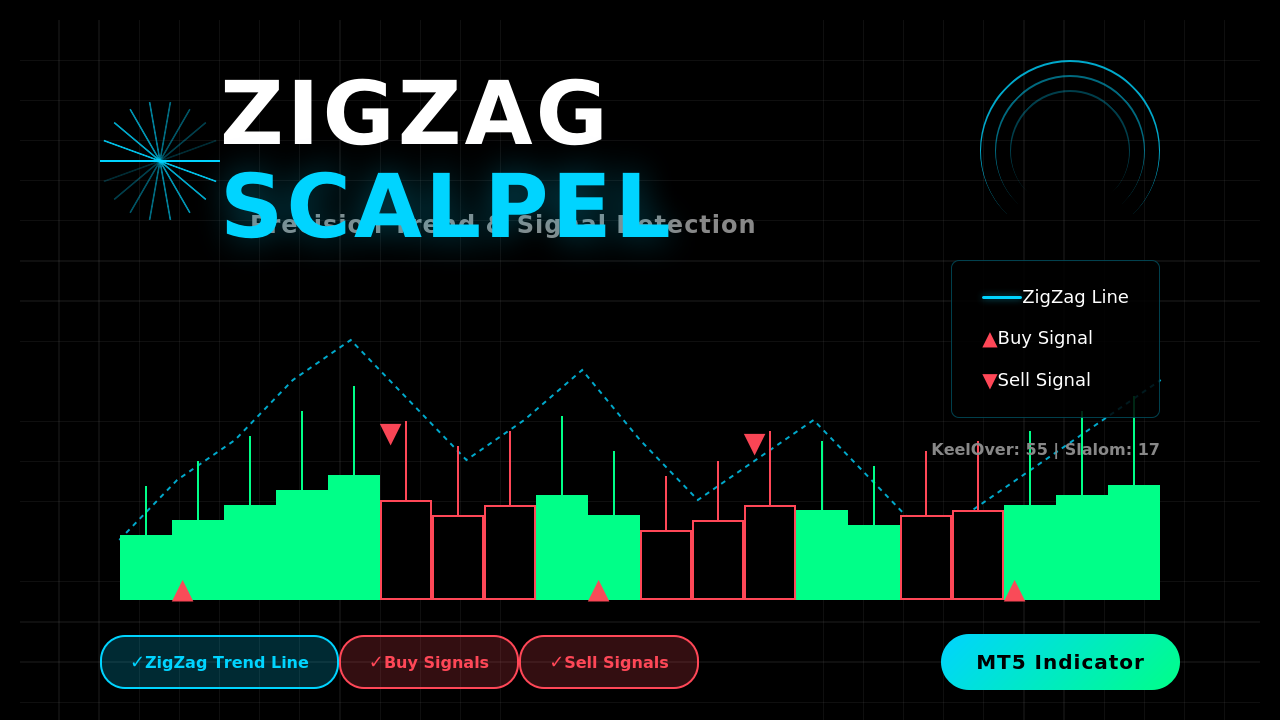
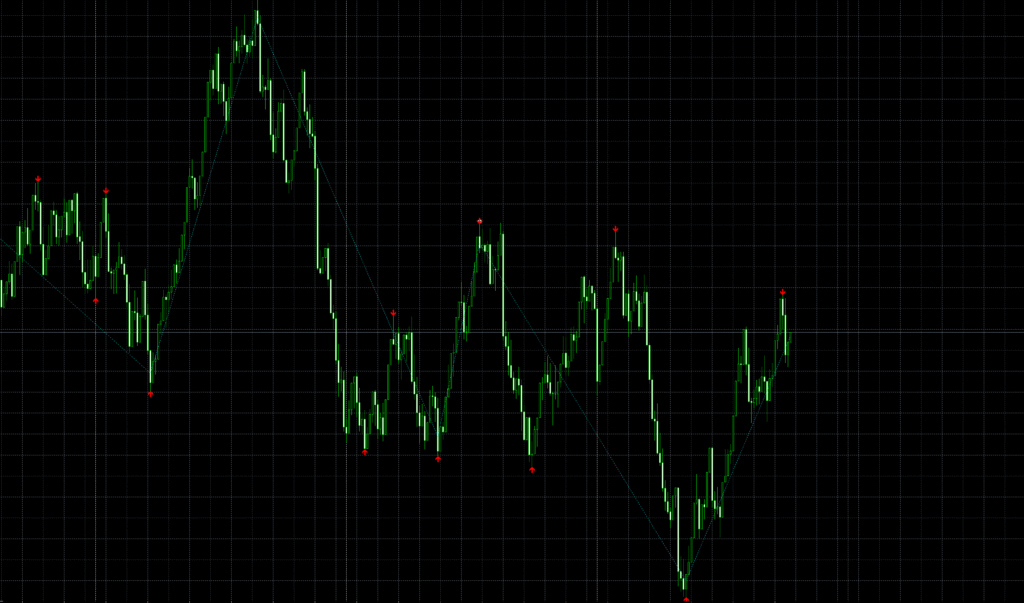
- Aqua ZigZag line – shows the confirmed swing path.
- White arrows – Limit zones to catch pullbacks in trend direction.
- Red up arrows – Buy signals when a Slalom Zig appears during an uptrend.
- Red down arrows – Sell signals when a Slalom Zag appears during a downtrend.
Every marker is context-aware — you see signals only when they align with the trend detected by the KeelOver structure.
Inputs Explained
The ZigZag Scalper is simple to configure and runs smoothly on any MT5 symbol.
- KeelOver — the macro pivot window. Higher values give cleaner but slower swings.
- Slalom — the micro pivot window. Lower values detect fast changes but increase sensitivity.
- Backstep — keeps one pivot per bar cluster to avoid duplicates.
- LimitPoints — auto-derived from spread to discard irrelevant noise.
For M15, defaults (KeelOver 55 / Slalom 17) offer excellent balance. Always keep KeelOver greater than twice Slalom for accuracy.
Installation Guide for MT5
- Open MetaTrader 5 → File → Open Data Folder.
- Navigate to MQL5 → Indicators.
- Copy the file
ZigZagScalper.mq5or.ex5into the folder. - Restart MT5 or right-click Indicators → Refresh.
- Drag the indicator onto your chart and adjust the inputs as desired.
How to Use ZigZag Scalper Effectively
Trend Entries:
When the KeelOver trend is up and a new Slalom Zig forms, look for a Buy arrow as price pulls back.
In a downtrend, wait for a Slalom Zag and Sell arrow for short entries.
Limit Zones:
White arrows highlight areas to enter pullbacks with pending orders aligned to trend bias.
Stops can go beyond the previous pivot, and targets toward the opposite swing.
Multi-Timeframe Edge:
Use H1 KeelOver for bias and M15 Slalom for precision entries — a classic swing-to-scalp strategy.
Why Traders Love ZigZag Scalper
- Ultra-clean structure: no duplicate pivots or random spikes.
- Contextual arrows: Buy/Sell/Limit appear only when trend conditions agree.
- Adaptive spread filter: automatically accounts for current symbol volatility.
- Lightweight code: optimized for multi-chart use with zero lag.
- Perfect for manual trading or EA logic: buffer values are EA-ready.
Limitations to Understand
- Recent bars can adjust: ZigZag logic requires confirmation of new pivots.
- No prediction: it tracks structure and context — not future price.
- Parameter balance: too low KeelOver makes it noisy; too high makes it lag.
FAQ
Does ZigZag Scalper repaint?
Only the latest few bars update as new swings form. Confirmed pivots remain fixed.
Which timeframes work best?
M5–M15 for active trading, H1–H4 for structure mapping.
Can I use it in EAs?
Yes. Buy, Sell, and Limit buffers are accessible for EA conditions.
Can I change the arrows or colors?
Absolutely. Edit in MT5 indicator properties to match your theme.
Download this Indicator for MT5
You can download both the ready-to-use EX5 file and the editable MQ5 source code for free below.